Like real cameras
Each virtual camera has its own MAC address, IP, UUID, and ONVIF configuration, so your VMS discovers and manages it like a separate physical device. Every camera offers a main stream and a sub stream built from the clips you provide, with the resolution, bitrate, and frame rate of your choice (4K clips included), so you can test recording and live-view workflows as they run in the field.
No transcoding, real encoder changes
Each camera streams pre-encoded video, so the load stays light. Prepare clips at different resolutions and bitrates; when your VMS changes the video encoder settings through ONVIF, the camera switches to the matching clip, just like a real camera.
One device, one cable
All output runs through the Pi 4’s built-in Gigabit Ethernet port. Even at peak load, traffic stays around 100 Mbps, well within Gigabit capacity. No extra NICs, PoE switches, or cable bundles.
Validated at full scale
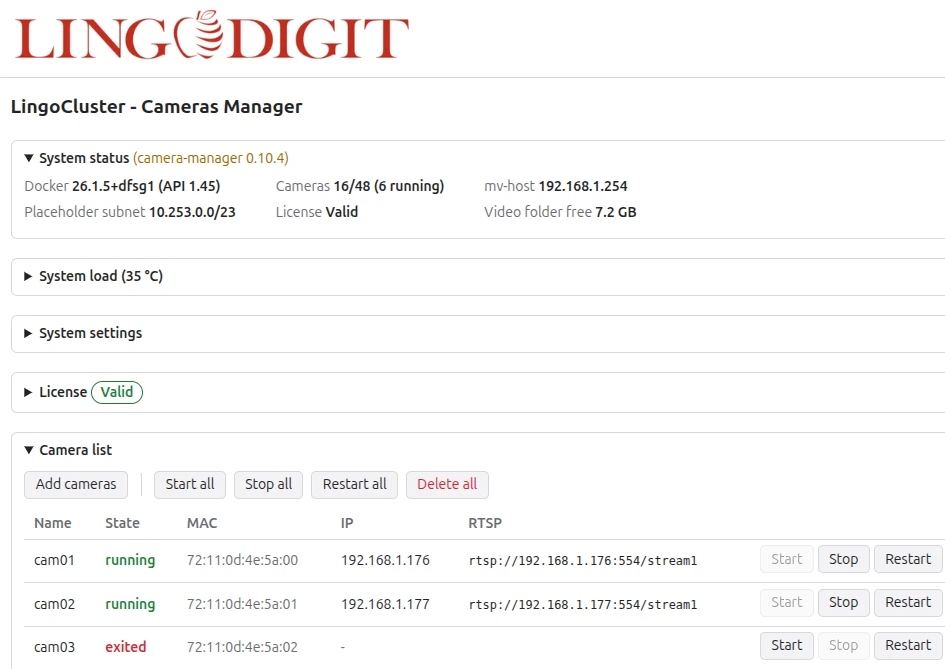
Creating, starting, stopping, restarting, factory-resetting, and deleting cameras, along with DHCP, static IP switching, ONVIF, and RTSP, have all been verified with 48 cameras running on a single Pi 4.
Your footage, your events
Upload your own video clips and loop them on any camera for realistic test scenes. Fire motion or tampering events, once or on repeat, across selected or all cameras to stress-test VMS alarm handling.
ONVIF-compatible, multi-codec
Implements Profile S and T features with H.264, H.265 (HEVC), and MJPEG. H.265 is available through ONVIF Media2.
Deploy, reset & stay reliable
Batch-create cameras with automatic naming (lobby01, lobby02…), then start, stop, restart, or factory-reset them, individually or all at once. Each camera runs in its own container with separate configuration and logs, and restarts automatically after reboot, so every test run starts from a clean, known state.